
Done On Command Features
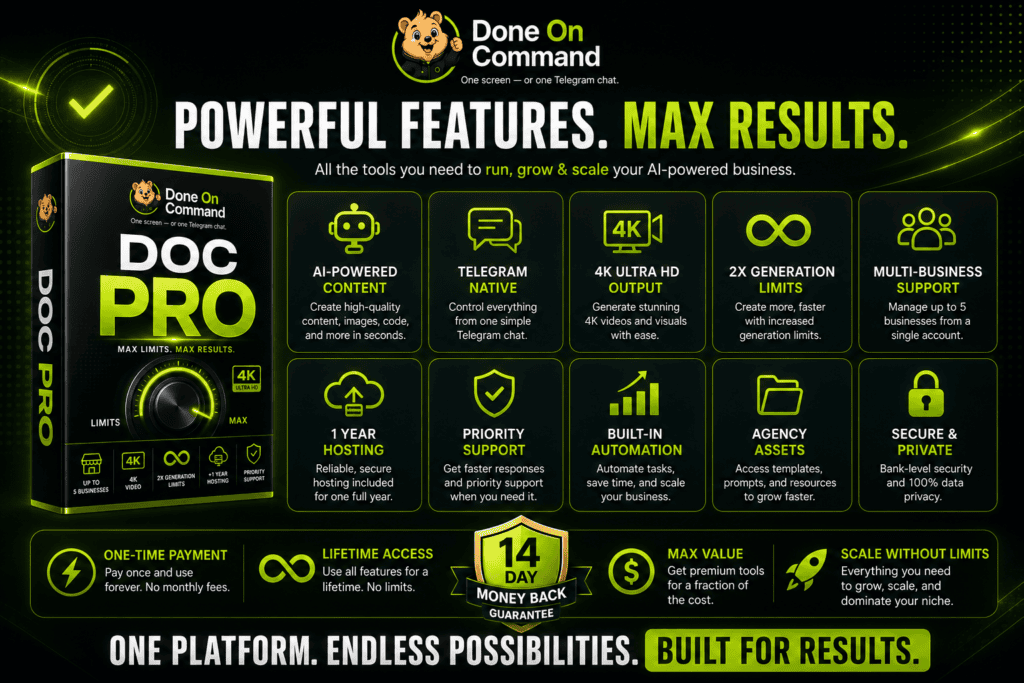
Done On Command brings page creation, video production, branded images, lead generation, email campaigns, social scheduling, and website chatbot support into one connected AI platform.
These capabilities are organized into seven main departments:
- Pages
- Video
- Images
- Leads
- Social
- Front Desk
What connects them is persistent business memory.
When a business is added, Done On Command can store information such as its logo, colors, fonts, writing voice, products, services, and offers. That memory can then be reused across future tasks.
This means a user does not need to upload the same logo, paste the same offer details, or explain the brand’s tone every time a new page, video, or campaign is created.
| Feature | Main purpose |
|---|---|
| Persistent memory | Stores and reuses business information |
| Command dashboard | Manages tasks, assets, revisions, and approvals |
| Pages | Builds and publishes websites and landing pages |
| Video | Creates and edits promotional video content |
| Images | Generates branded graphics and creatives |
| Leads | Creates lead magnets and captures prospects |
| Prepares and schedules campaigns | |
| Social | Creates and schedules posts |
| Front Desk | Provides a website chatbot |
| White-label dashboards | Separates businesses and client accounts |
CommandAIApp.com is an independent affiliate information website and is not the official Done On Command website.
Persistent Business Memory
Persistent memory is the core Done On Command feature.
The user begins by entering a business domain. The platform then builds a business profile using available information such as:
- Logo and visual identity
- Brand colors
- Fonts
- Writing style
- Products and services
- Offers
- General business details
This information becomes the working memory for that business.
In simple terms, Done On Command does not need to start from a blank page each time. It can use the same business context when creating a landing page, promotional graphic, email, video, or social post.
That can be especially helpful for freelancers and agencies.
For example, imagine a marketer managing a fitness coach, a restaurant, and a local contractor. Each business has a different audience, voice, offer, and visual identity. Done On Command keeps those profiles separated so the information from one client does not have to be mixed with another.
Here’s what most people don’t know: the more AI tools a business uses, the harder consistency can become. Every platform has its own prompts, settings, and memory. Done On Command attempts to reduce that fragmentation by giving several business departments access to one shared profile.
Command and Control Dashboard
The browser-based dashboard acts as the main control center.
Users can describe tasks in plain language instead of moving between multiple editors and applications.
A command might be:
- “Create a landing page for this offer.”
- “Make a short promotional video.”
- “Prepare next week’s email campaign.”
- “Create a quiz to collect leads.”
- “Schedule five social posts.”
The dashboard can be used to:
- Select a business
- Create a task
- Monitor progress
- Review completed work
- Request revisions
- Approve publishing
- Access saved assets
The platform is hosted and mobile-friendly, so there is no need to install it on a personal server.
Telegram Control
Done On Command can also be controlled through Telegram.
Users can enter commands, receive task updates, request changes, and approve supported actions from a Telegram conversation.
This provides a more flexible workflow for someone who is away from the main dashboard.
For instance, an agency owner could check the status of a client campaign or approve a completed post from a mobile device.
Telegram does not replace the main dashboard. It provides another way to communicate with the platform.
AI Page Builder
The Pages department can build, edit, host, and publish web pages.
It can be used for:
- Landing pages
- Offer pages
- Lead-capture pages
- Multi-page websites
- Campaign pages
- Service pages
Users can describe the page they need or upload a screenshot as a design reference.
Changes can then be requested through chat. A user might ask the platform to replace an image, rewrite a headline, add a pricing section, move a block higher, or update a call-to-action button.
Revision history is included, which makes it easier to track changes.
Completed pages can be hosted and published without setting up a separate page builder. Custom domains can also be connected.
The front-end plan includes up to ten page generations per month and one year of hosting. Generated pages include a Done On Command watermark.
Pro doubles the page-generation limit and adds another year of hosting. Agency Platinum removes the DOC watermark from generated pages.
AI Video Creation
The Video department supports both new video generation and editing.
It can create:
- Promotional videos
- AI-generated scenes
- Branded cutaways
- Automatic voiceovers
- Synced captions
- Talking-head edits
- Spokesperson-style videos
A user can enter a command and have the platform combine visuals, narration, captions, and business information into a finished video.
Existing talking-head footage can also be uploaded for editing. The platform can add captions, supporting visuals, cutaways, and other production elements.
The Spokesperson Studio can create presenter-style content from an uploaded photograph. This may be useful for ads, promotional clips, or UGC-style content.
Human checking is still important. Names, prices, pronunciations, claims, and visual details should be reviewed before a video is published.
The front-end plan includes up to five new videos and five video edits per month, with output up to 720p.
Pro doubles those limits and increases output quality to as high as 4K.
Branded Image Generation
The Images department creates visual assets using the selected business memory.
Images may be used for:
- Social posts
- Advertising creatives
- Video thumbnails
- Landing pages
- Promotional campaigns
- Lead magnets
Because the platform can access the business profile, the images can be created around the brand’s visual direction and offer.
Still, logos, text inside images, product details, and colors should be checked before publishing.
The front end includes up to ten image generations per month. Pro doubles that allowance.
Lead Magnets and Lead Capture
The Leads department can create interactive assets designed to collect prospect information.
Examples include:
- Quizzes
- Calculators
- Forms
- Interactive tools
- Other lead magnets
A coach could build an assessment. A local service provider could create a cost calculator. An affiliate marketer could develop a quiz related to a product or audience problem.
Leads can be imported or collected through:
- An agent
- A CSV file
- A form
These tools can make lead generation more interactive, but the platform cannot guarantee that visitors will submit their information. Results still depend on traffic, the offer, the audience, and the quality of the lead magnet.
Email Campaign Management
The Email department can draft, approve, schedule, and send campaigns through a connected autoresponder.
Supported integrations include:
- GetResponse
- GoHighLevel
- Brevo
- Mailchimp
Possible campaigns include:
- Welcome emails
- Promotional messages
- Follow-up sequences
- Newsletters
- Re-engagement campaigns
- Product launch emails
The contact list stays inside the connected email service. Any contact limits, sending rules, or fees from that provider still apply.
Nothing should be sent without approval.
The biggest mistake people make is assuming an AI-generated campaign is automatically ready. Links, prices, dates, subject lines, and product claims should always be checked before the email reaches a list.
Social Media Scheduling
The Social department can create and schedule posts for multiple networks.
Publishing is supported through Upload-Post and Buffer.
Depending on the connected service, users may be able to prepare content for:
- TikTok
- YouTube
- X
- Threads
Content can be scheduled ahead of time through a social calendar.
A single business memory can help keep the messaging and branding consistent. However, each post should still fit the network where it will appear. A LinkedIn post should not always use the same structure as a TikTok caption or Instagram post.
Third-party plan limits may apply.
Front Desk Chatbot
The Front Desk department provides a chatbot for a business website.
It answers customer questions using a separate business knowledge base.
The chatbot may help with questions about:
- Products
- Services
- Business hours
- Offers
- Policies
- General company information
It can be installed on a website using an embed code and operates with its own monthly allowance.
A chatbot can provide support around the clock, but its knowledge should be reviewed regularly. Prices, offers, policies, and business details may change over time.
White-Label Dashboards
Each business receives a separate dashboard.
This makes it easier for agencies and freelancers to organize work for multiple clients without mixing assets or business information.
The front-end plan supports up to two businesses. Pro increases the allowance to five, while Agency Platinum supports up to ten.
Agency Platinum also includes:
- Removal of the DOC page watermark
- Agency website
- Agency marketing assets
- Agency license
- 5,000 monthly credits
The Mega Bundle adds unlimited businesses, subject to the platform’s terms.
Approval-Gated Publishing
Done On Command does not publish outbound work without approval.
Pages, videos, emails, and social posts can be reviewed before they go live.
The process is simple:
- Review the completed asset.
- Request changes through chat.
- Check the updated version.
- Approve the final action.
This approval gate creates a practical balance between AI automation and human control.
Users should check:
- Prices
- Links
- Dates
- Contact details
- Branding
- Claims
- Spelling
- Images
- Legal language
AI can complete tasks quickly, but the user remains responsible for the final result.
Credits and Personal AI Keys
The front-end plan includes 1,000 credits per month.
Agency Platinum increases the allowance to 5,000 monthly credits. The Mega Bundle includes 10,000 credits per month.
Credits are only supposed to be spent when an action is successfully delivered. Failed or declined actions should not consume credits.
Users can also connect a compatible personal AI key.
This is optional, because credits are already included. A personal key may reduce Done On Command credit usage for eligible AI actions, although the external AI provider may charge its own usage fees.
Connecting a personal key does not automatically remove all business, video, image, or page-generation limits.
Commercial, Agency, and Reseller Rights
The front end includes a commercial license.
This allows users to sell completed services and deliverables such as pages, videos, graphics, campaigns, lead magnets, and chatbot setup.
Agency Platinum adds broader agency capabilities and licensing.
Reseller Pro is different. It includes twenty-five accounts that can be sold.
| License | Main use |
| Commercial license | Sell completed assets and services |
| Agency license | Manage and serve multiple client businesses |
| Reseller rights | Sell Done On Command accounts |
Read the complete Done On Command OTO details for a full upgrade comparison.
Done On Command Feature Limits
The front-end plan includes a broad range of capabilities, but it has defined allowances.
| Feature | Front-end limit |
| Businesses | Up to 2 |
| Monthly credits | 1,000 |
| New videos | 5 per month |
| Video edits | 5 per month |
| Video quality | Up to 720p |
| Images | 10 per month |
| Pages | 10 per month |
| Hosting | 1 year |
| Storage | Up to 1 GB |
| Page watermark | Included |
Users who need greater capacity can consider Pro, Agency Platinum, the Everything Bundle, or the Mega Bundle.
Final Feature Summary
Done On Command combines several online business tasks inside one connected AI platform.
Its most important feature is persistent business memory. The same business identity can be used across pages, videos, images, email campaigns, social posts, lead magnets, and chatbot responses.
This can reduce repetitive setup and help businesses maintain a more consistent brand.
The platform may be useful for:
- Affiliate marketers
- Freelancers
- Agencies
- Local business marketers
- Coaches
- Course creators
- E-commerce brands
- Solo entrepreneurs
It still requires human oversight. External accounts may be needed, front-end limits apply, and every public asset should be checked before approval.
For users who want one AI workspace for creating, organizing, and delivering multiple types of marketing content, Done On Command offers a wide range of connected business features.